medsumits2026.com

Administrative support services

Eight kinds of routine office work, handled remotely. Each section sets out what you share, what I take care of and what comes back to you, so you can see exactly how a task would run.
Illustration of a desk laid out with a calendar, a laptop showing a spreadsheet, a typed page, a folder and a pen
Two ways to work together

Regular support or a single piece of work

Choose either, or start with one and move to the other later.

Regular support

An agreed number of hours each week or month for ongoing work such as email, calendar and record keeping. It suits work that comes back every day. Hours can be adjusted with the notice set out in your proposal.

One-off tasks and projects

A defined piece of work with a clear end point, such as reorganising a shared drive, cleaning up a contact list or formatting a set of documents. The scope and estimate are agreed in writing before work starts.

Inbox and email management

Start the day with an inbox that has already been read, sorted and handled as far as it can be without you.
Illustration of a laptop showing a sorted inbox, with a phone, a pen and a cup of coffee on a dark desk

What you share

  • Delegated access to your mailbox, or to a shared inbox
  • Who and what should always reach you straight away
  • A few past replies, or notes on the tone you prefer

What I take care of

  • Read, label and file incoming mail to a system we agree
  • Draft routine replies for you to approve, or send them where you have agreed in advance
  • Flag the messages that need your decision
  • Unsubscribe from unwanted newsletters once you confirm which ones

What comes back to you

  • An inbox organised into clear folders or labels
  • A short note of what needs you today
  • Replies drafted and waiting for a quick check

Calendar and scheduling

Fewer emails about when to meet, and a diary you can trust at a glance.

Illustration of a wall calendar with several days marked in copper, a clock, an index card and a pen

What you share

  • Delegated access to your calendar
  • Your usual working hours and the times you keep free
  • Who may book time with you, and how much notice you need

What I take care of

  • Find suitable times and send the invitations
  • Work out meeting times across different time zones
  • Rearrange meetings and confirm the new details with everyone
  • Add reminders, links and notes to each calendar entry

What comes back to you

  • A calendar that reflects how your week really runs
  • The details for each meeting kept in one place
  • A prompt when two commitments clash and you need to choose

Document preparation and formatting

Hand over rough notes or an untidy draft, and get back a document that looks finished.

Illustration of three typed pages fanned out on a desk beside a pen and a small plant

What you share

  • Notes, drafts, recordings or other source material
  • Any templates, house style or examples to follow
  • Who the document is for and what it needs to do

What I take care of

  • Type up the content and give it a clear structure
  • Format letters, reports, proposals and presentations
  • Apply consistent headings, styles and page layouts
  • Check for typing errors and inconsistencies

What comes back to you

  • A finished document, ready for your review
  • Files named and saved where you want them
  • Reusable templates where they would save you time

Data entry and record keeping

Records you can rely on, without spending your evenings copying and pasting.
Illustration of a laptop showing a spreadsheet with ticked rows, next to a printed source document and a cup of coffee

What you share

  • Access to the spreadsheet, database or system concerned
  • The source material the information comes from
  • Any rules on formats and required fields

What I take care of

  • Enter new records and update existing ones
  • Remove duplicate entries and tidy inconsistent formatting
  • Check entries against the original source
  • Keep contact lists and trackers up to date

What comes back to you

  • Clean records in a consistent format
  • A list of anything missing or unclear
  • Data you and your team can use straight away

Online research and information gathering

Give me the question, and get back a short, sourced answer instead of dozens of open browser tabs.

Illustration of printed notes under a magnifying glass beside a notebook with a comparison table

What you share

  • The question you want answered
  • Your criteria, budget or preferences
  • The format you would like the results in

What I take care of

  • Search publicly available sources
  • Compare the options against your criteria
  • Record where every piece of information came from
  • Write up the findings in plain language

What comes back to you

  • A concise summary or comparison table
  • Links to every source used
  • The points still open for you to decide

File organisation and digital housekeeping

A folder structure that people can find their way around the first time.
Illustration of five labelled folders in navy and copper fanned across a desk

What you share

  • Access to the folders or shared drive
  • How you and your colleagues usually look for files
  • Anything that must stay where it is or must not be deleted

What I take care of

  • Plan a simple, logical folder structure
  • Rename files to a consistent pattern
  • Move old material into an archive
  • Remove duplicates, but only once you approve

What comes back to you

  • An organised structure that is easy to search
  • A one-page guide to where things are kept
  • Fewer duplicate and misplaced files

Meeting notes and follow-up tracking

What was agreed in the meeting is written down, sent out and followed up.
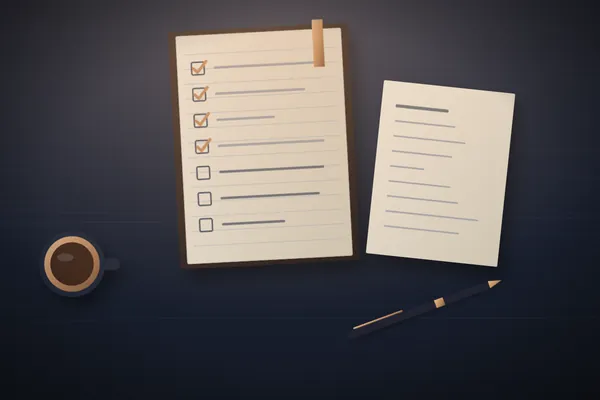
Illustration of a notebook with a checklist, four items ticked, beside a typed page, a pen and a cup

What you share

  • Your notes, or a recording or transcript you are permitted to share
  • Who attended and who is responsible for each action
  • How you would like follow-ups handled

What I take care of

  • Write up decisions and actions clearly
  • Draft follow-up emails for your approval
  • Track each action against its due date
  • Remind you about anything that has slipped

What comes back to you

  • Notes in the same format after every meeting
  • A simple tracker of actions and owners
  • Fewer agreed actions forgotten

Other routine office tasks

If a recurring office task can be done remotely, describe it and you will get an honest answer on whether it fits.
Illustration of an index card, a printed form with empty boxes, an envelope and a pen

What you share

  • A description of the task and how often it comes up
  • Examples of earlier work, if you have them
  • Any access or tools the task needs

What I take care of

  • Create and update lists, forms and trackers
  • Complete routine online forms with information you supply
  • Research and prepare bookings or orders for you to confirm
  • Other routine, remote and lawful tasks agreed in writing

What comes back to you

  • A straight answer on whether the task suits this service
  • The work completed as agreed, with notes
  • A record of what was done

What the service does not include

Being clear about the limits is part of doing the work properly.

  • Professional advice. Legal, tax, accounting, financial, medical or immigration advice is not provided. Documents can be organised for your own qualified advisers, but the advice must come from them.
  • Work in person. Everything is done remotely, so office visits, handling post and running errands are not included.
  • Unlawful or misleading tasks. Examples include unsolicited bulk email, fake reviews, or collecting personal data without a lawful basis.
  • Access you may not share. Work that would need someone else’s passwords, or access you are not entitled to give, cannot be accepted.
  • Commitments on your behalf. Contracts are not signed, payments are not made and financial commitments are not entered into for you.

Not sure which of these fits?

Describe the work in your own words. If it is routine, remote and lawful, it can usually be handed over, and you will get a clear answer either way.

Site preferences

There are no cookies or trackers here to switch off. The one setting below controls movement and animation, and it is stored in this browser only.